
Platform
Better hiring starts with a better bench.
BetterBench helps fitness and wellness businesses screen applicants, identify their Top Matches, build a reusable talent pipeline, and develop stronger hiring managers.
How BetterBench works
Three steps, start to bench.
- 1
Create the role
Add the position, choose the screening requirements, and share your branded careers page application link.
- 2
Screen and identify Top Matches
Candidates complete résumé, text, and video screening. BenchMark evaluates candidate alignment and surfaces the strongest matches.
- 3
Hire now and build for later
Move candidates through the hiring process, make a decision, and save promising talent to My Bench.
AI Screening
One consistent screening experience for every applicant.
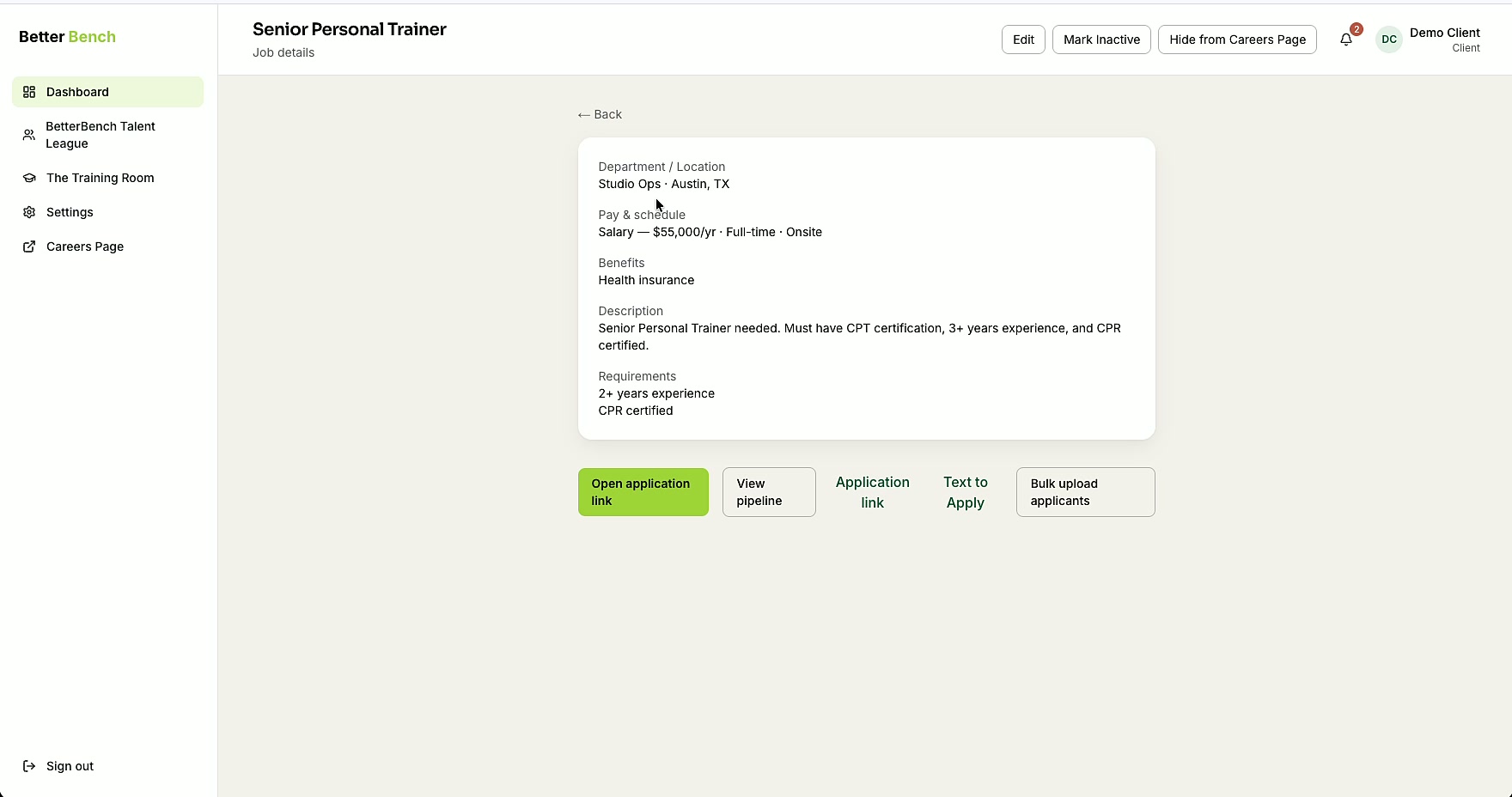
Give every applicant the same role-specific résumé, text, and video screening experience.
You write the questions. AI Screening evaluates the answers in real time and keeps the hiring decision with your team.
BenchMark and Top Matches
See who is strongest, and why.
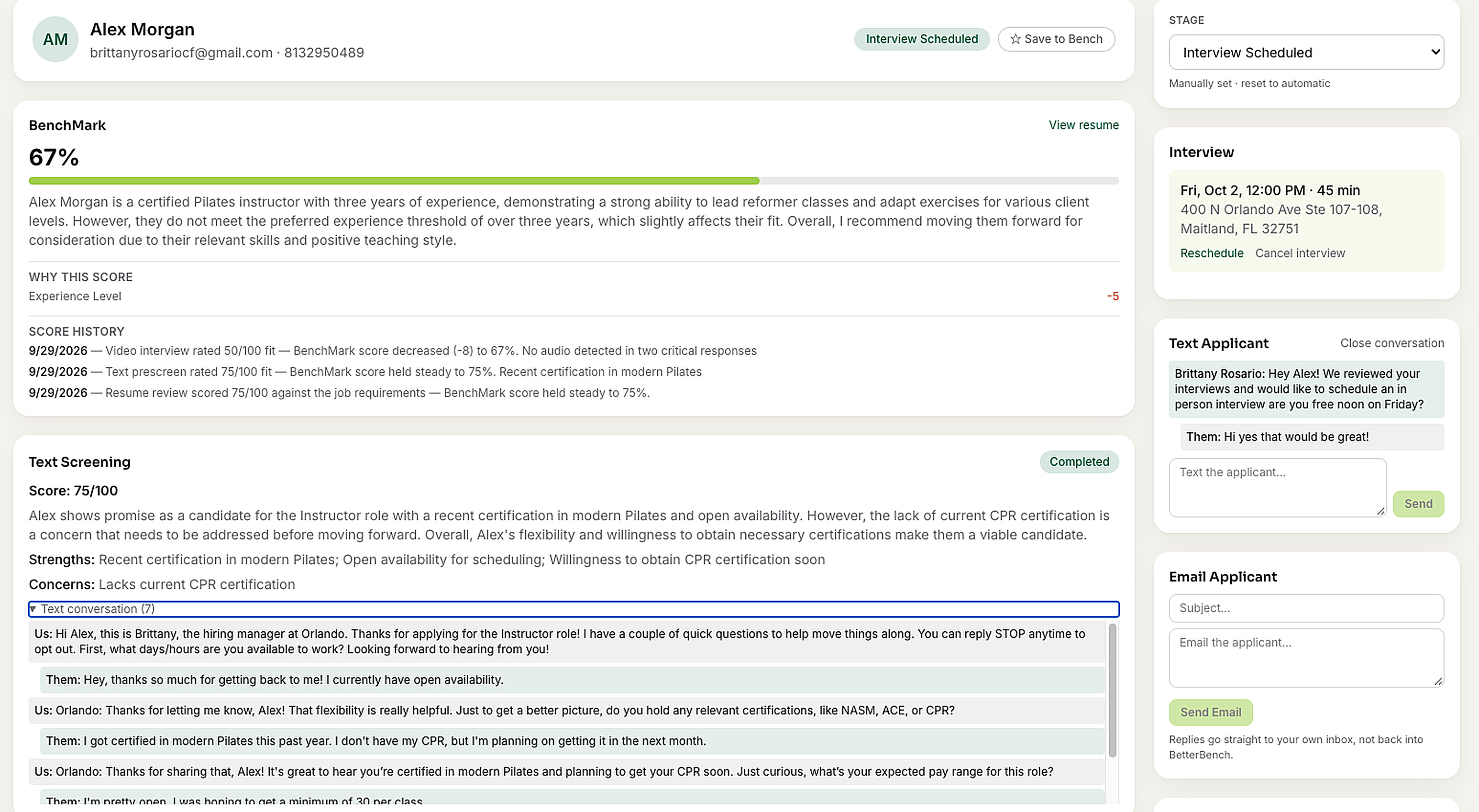
BenchMark evaluates candidate alignment, Top Matches surfaces the strongest candidates, and Match Insights explains the factors behind each result.
Hiring Pipeline
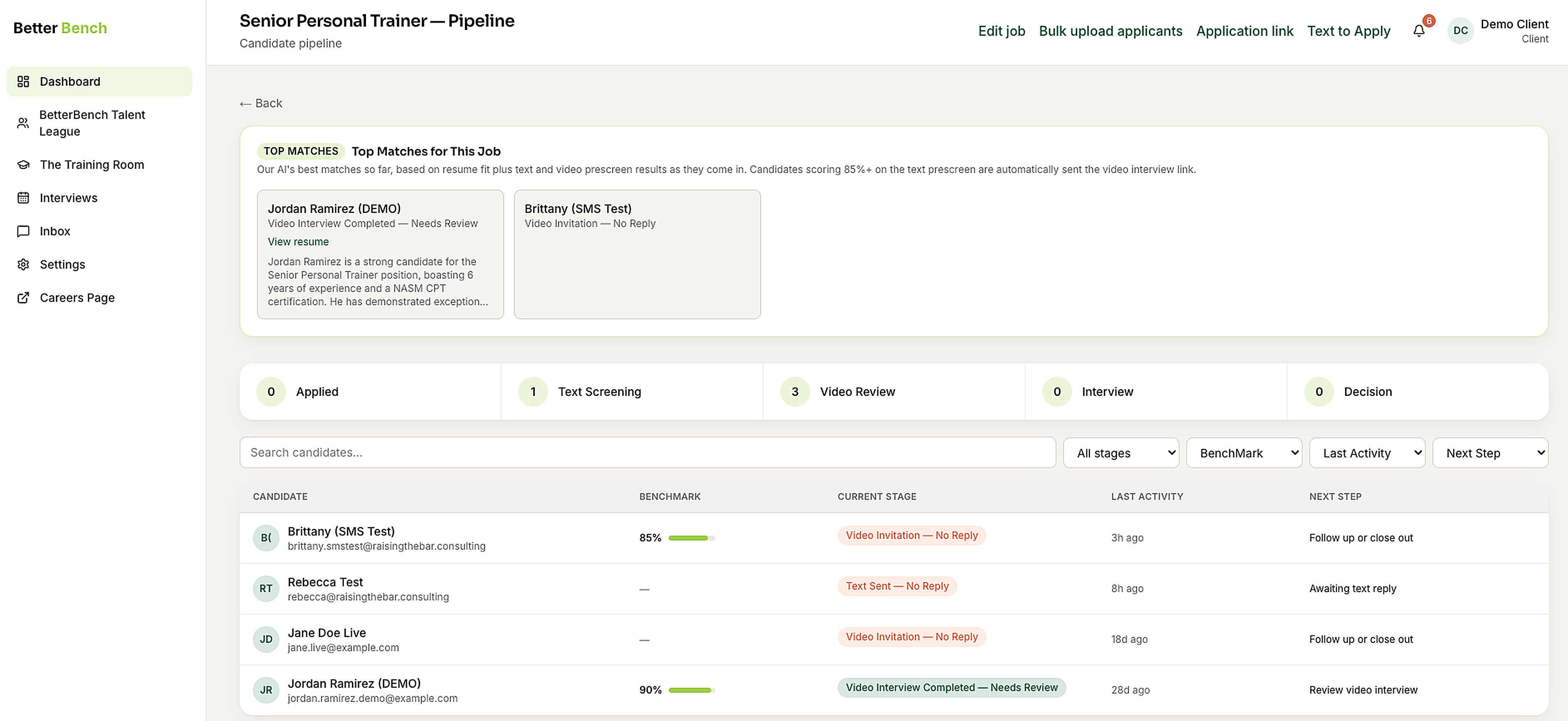
Every applicant organized, every stage visible.
Organize applicants, assign hiring managers, track progress, and see which candidates need attention.
Stages that match how you hire
Applied, Text Screening, Video Review, and Decision—for every location, on one standard.
Hiring manager assignment
Give managers what they need for their location while owners keep visibility across the business.
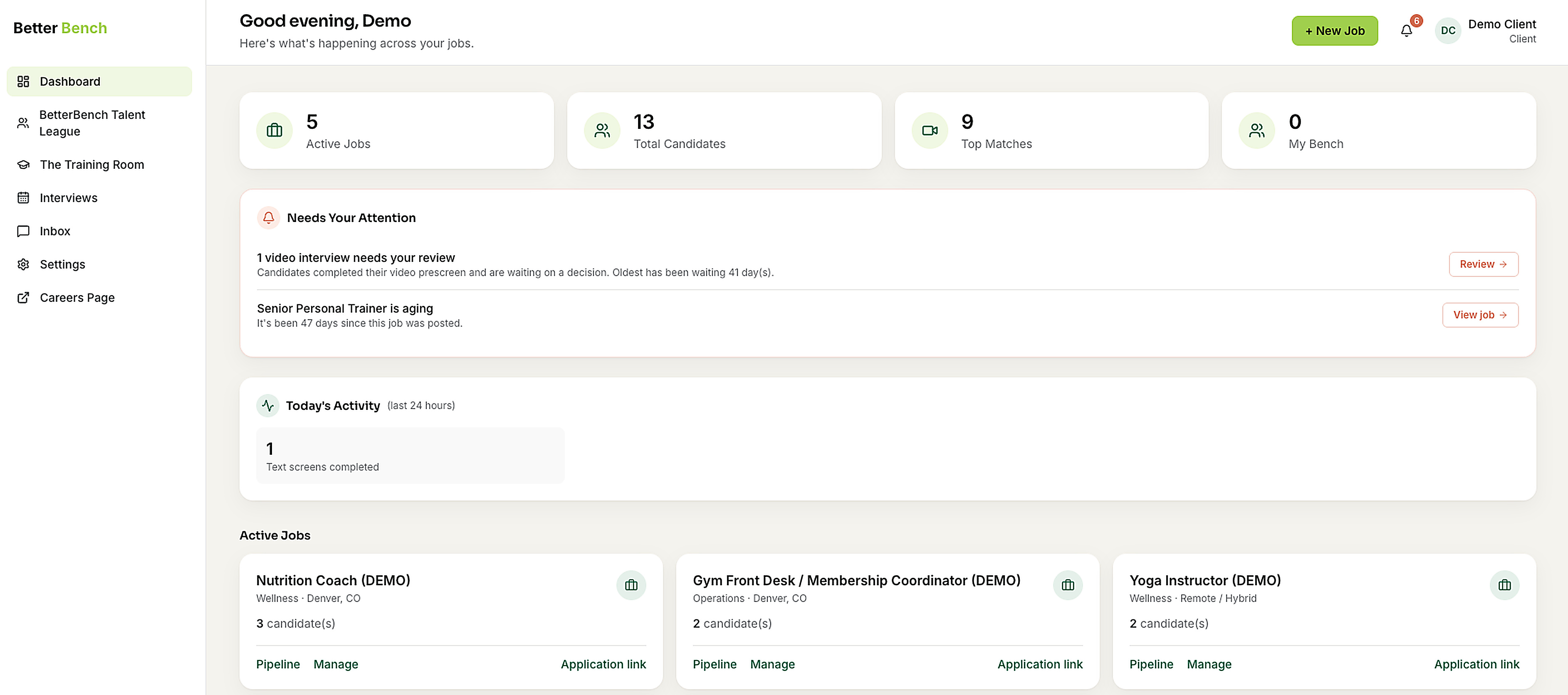
Know what needs attention
Notifications and next-step prompts keep strong candidates moving before they take another offer.
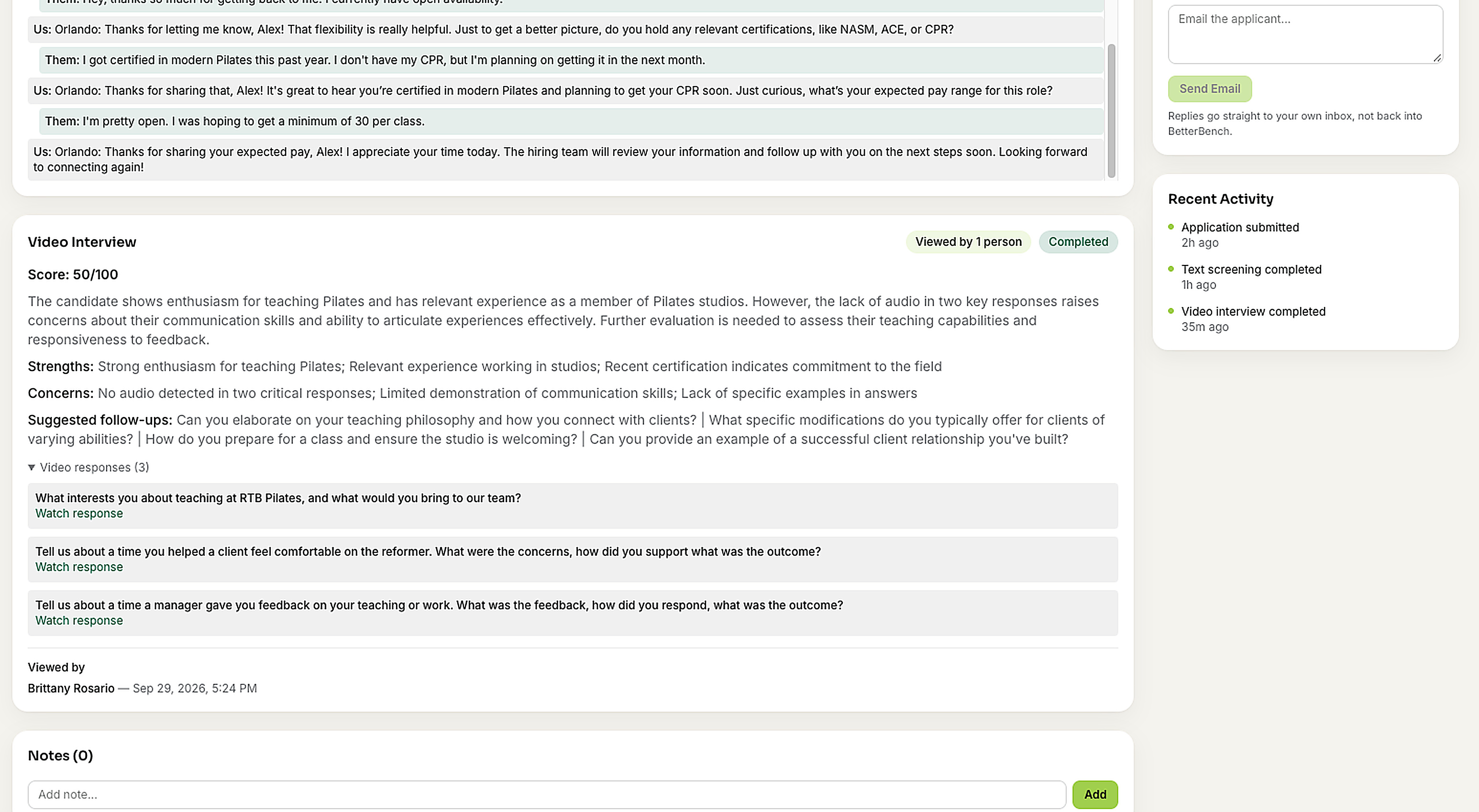
BetterBench Talent League and My Bench
Stop starting from zero.
Search the BetterBench Talent League for experienced fitness and wellness professionals, then save promising candidates to My Bench. When the next position opens, you already have people to contact.
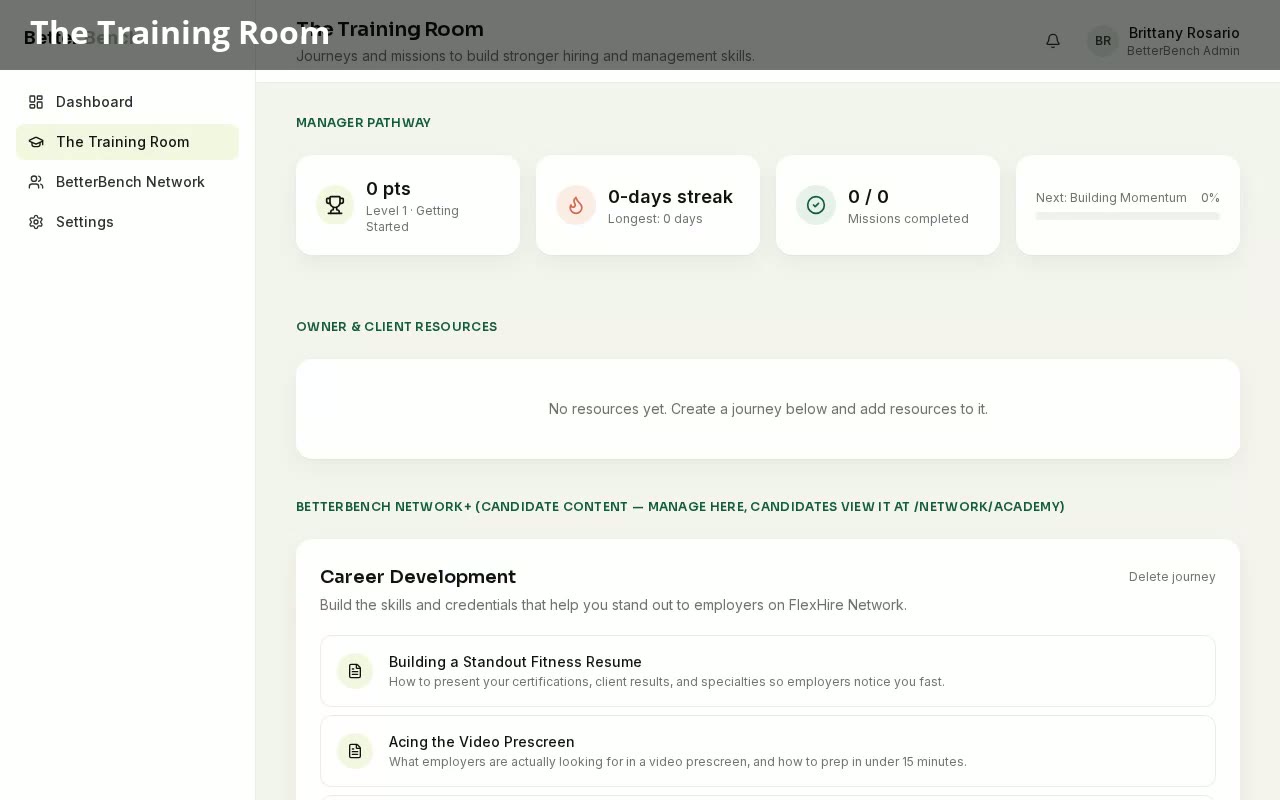
The Training Room
Give every hiring manager a better game plan.
The Training Room gives owners and managers practical training, playbooks, templates, and resources for interviewing, selecting, and developing stronger teams.
The detailed workflow
What happens after a candidate applies.
Résumé, text, and video screening each feed one BenchMark. AI evaluates and ranks; your team decides who to hire.
- 1
Create the role and set your requirements
Add the position, location, benefits, and hiring manager. Your requirements become the standard every applicant is measured against.
- 2
Share your branded careers page
Publish the opening to your branded careers page and share one application link everywhere you recruit.
- 3
AI Screening reviews the résumé in real time
The moment someone applies, their résumé is evaluated against your requirements and their BenchMark begins building.
- 4
Text screening, using your questions
Candidates answer your pre-screening questions by text while interest is highest. Responses are evaluated and added to the BenchMark.
- 5
Video interview for candidates who qualify
Candidates who meet the minimum qualifications are invited to record answers to your video questions, evaluated on relevance and substance.
- 6
Review Top Matches and Match Insights
Top Matches ranks the strongest candidates for the role, and Match Insights explains the factors behind each result. Nobody is auto-rejected—your team decides.
- 7
Manage the pipeline, then Save to Bench
Move candidates through Applied, Text Screening, Video Review, and Decision. Save promising talent to My Bench for the next opening.
One connected system
Not several separate tools.
AI Screening
The same role-specific résumé, text, and video screening for every applicant.
BenchMark and Top Matches
Candidate alignment, ranked, with Match Insights behind every result.
Hiring Pipeline
Applicants organized by stage, manager, and next step.
BetterBench Talent League and My Bench
Find Talent in the Talent League and Save to Bench for later.
The Training Room
Practical training for owners and managers who make the calls.
Branded Careers Page
A branded careers page and one application link.
Build a Better Bench.
See how BetterBench helps your team screen consistently, surface stronger matches, and keep a ready bench for the next opening.